Torlock is a popular torrent website known for providing a wide variety of content, including movies, TV shows, and music. However, like many other torrent sites, it is often targeted by IP bans and geo-restrictions due to the nature of torrenting. For users who want to avoid these issues and continue downloading safely, using a proxy server is an excellent solution.
A Torlock proxy helps mask your real IP address and ensures a secure, anonymous browsing experience. By routing your connection through a proxy, you can bypass IP bans, geo-blocking, and maintain privacy when torrenting.
In this guide, we’ll explain how to use a Torlock proxy effectively, enhance your torrenting experience, and share real-life success stories from users who have benefited from using proxies for secure downloading.
What Is a Torlock Proxy?
A proxy acts as an intermediary server between your device and the website you want to access. When using a Torlock proxy, your requests to the site are routed through the proxy server, and Torlock sees the proxy’s IP address instead of your own.
How Does a Proxy Work with Torlock?
- IP Masking: A proxy masks your real IP address by using its own, making it difficult for websites (including Torlock) to trace your activities back to you.
- Bypassing Geo-Restrictions: In some regions, Torlock might be blocked, but by using a proxy located in an accessible country, you can bypass these restrictions and access the site as if you were in that country.
- Privacy and Security: A proxy adds an extra layer of encryption, ensuring your torrenting activities remain private and protected from third parties.
Why Use a Proxy for Torlock?
There are several reasons why using a Torlock proxy is essential for a safe and uninterrupted torrenting experience.
1. Avoiding IP Bans
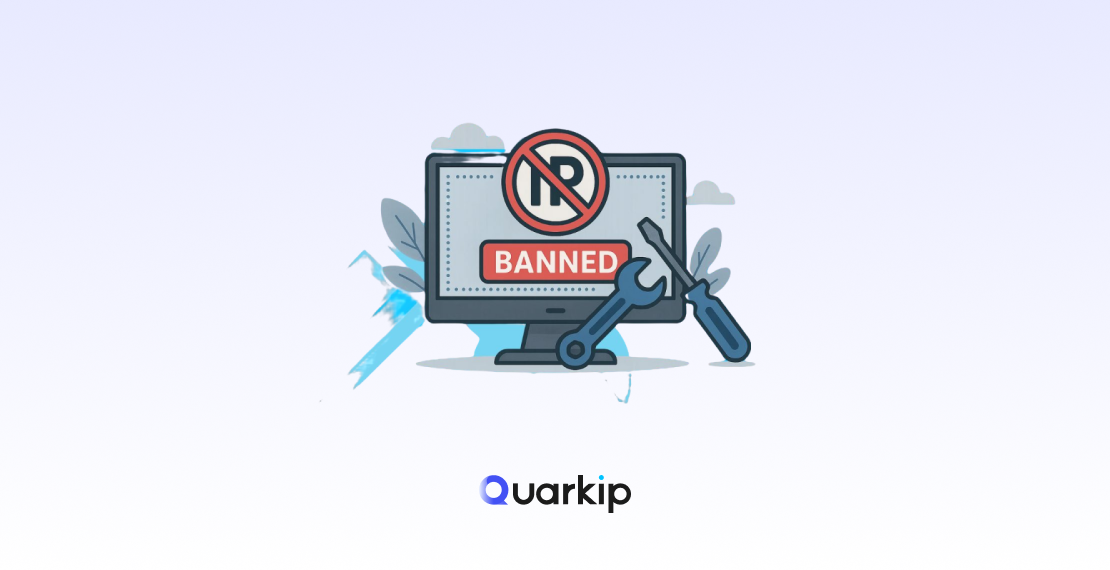
Torrenting websites like Torlock monitor user activity to prevent excessive downloading and block users who violate their terms. These restrictions often result in IP bans.
- Solution: A proxy prevents Torlock from detecting your IP. By using a rotating proxy that constantly changes your IP address, you can avoid detection and continue downloading without interruption.
2. Bypassing Geo-Restrictions
Many countries block torrent websites like Torlock due to copyright laws. If you are in one of these regions, you might find it difficult or impossible to access the site.
- Solution: Using a proxy with an IP located in a country where Torlock is accessible allows you to bypass geo-restrictions and access the site without issues.
3. Enhancing Privacy and Security
By default, when you torrent, your real IP address is exposed, which can be used to track your activity. This is especially dangerous as it could lead to legal consequences or cyberattacks.
- Solution: A proxy routes your traffic through an anonymous server, encrypting your connection and hiding your real IP. This ensures your online activities remain private and secure.
4. Improving Torrenting Speeds
Some Internet Service Providers (ISPs) intentionally slow down traffic for torrenting. This can significantly impact your downloading experience.
- Solution: A proxy helps you bypass ISP throttling, potentially improving your torrenting speeds by masking the nature of your traffic.
How to Set Up a Proxy for Torlock
Setting up a proxy for Torlock is a simple process that can significantly improve your experience. Here’s how to do it:
Step 1: Choose a Reliable Proxy Provider
To use a proxy with Torlock, you’ll need to select a provider that offers high-speed, secure proxies suitable for torrenting.
- Recommended Proxy Providers:
- QuarkIP: Offers residential proxies and a large pool of IP addresses.
- Smartproxy: Provides rotating proxies for enhanced anonymity.
- Bright Data: Known for premium proxies that can bypass even the toughest restrictions.
Step 2: Sign Up and Choose a Plan
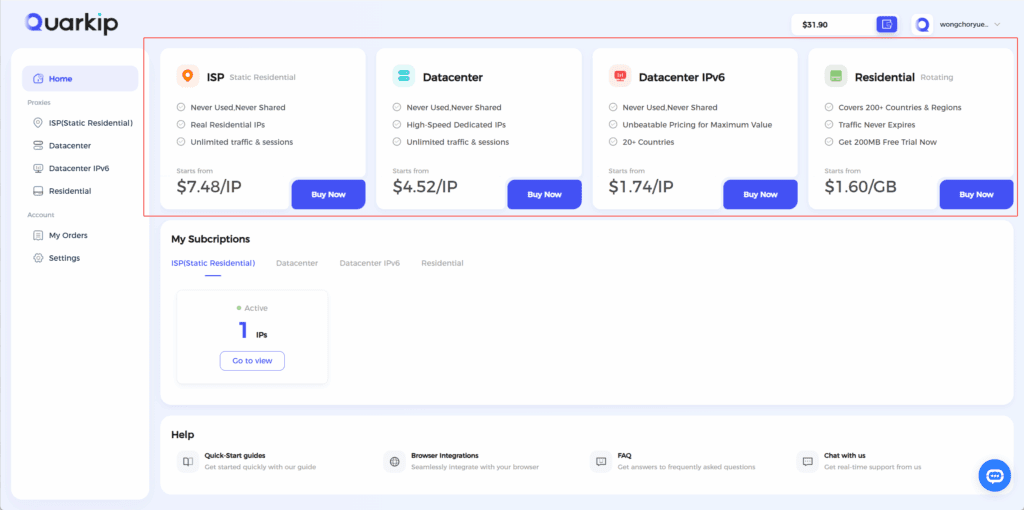
After signing up with your preferred proxy provider, choose a plan that provides rotating proxies or multiple IP addresses to ensure your activities remain undetected.
Step 3: Configure the Proxy in Your Browser
Once you have your proxy details, such as IP address and port number, follow these steps to configure your proxy settings:
For Google Chrome:
- Go to Settings > Advanced > System > Open your computer’s proxy settings.
- Enter the proxy IP address and port number.
- Save the settings.
For Mozilla Firefox:
- Go to Options > General > Network Settings.
- Choose Manual Proxy Configuration and enter the proxy IP and port.
- Save the settings.
Step 4: Test Your Connection
Before accessing Torlock, check whether your proxy is working correctly. You can do this by visiting a site like whatismyipaddress.com to verify that your IP address is masked.
Step 5: Access Torlock and Start Torrenting
Now that your proxy is set up, visit Torlock and start downloading torrents safely. Make sure everything works as expected by monitoring download speeds and ensuring that the proxy remains active.
User Case Studies: How Rotating Proxies Helped Torrent Users on Torlock
Case Study 1: “Bypassing Geo-Restrictions”
Sarah from Canada was frustrated when she couldn’t access Torlock due to the country’s strict internet laws. After subscribing to a residential rotating proxy from QuarkIP, she was able to select an IP located in the United States, effectively bypassing the geo-restrictions. This allowed her to continue downloading content seamlessly.
Case Study 2: “Avoiding IP Bans After Excessive Downloads”
John, a passionate K-pop fan, encountered an IP ban from Torlock after downloading several K-pop albums in a short period. After switching to a rotating proxy service from Smartproxy, John was able to continue downloading with a new IP, avoiding the ban and increasing his success rate when downloading high-demand content.
Case Study 3: “Improving Torrenting Speeds”
David, a frequent torrent user, noticed that his connection was slowing down when downloading large files from Torlock. After configuring a proxy server from Bright Data, he found that his download speeds significantly improved, as the proxy helped bypass his ISP’s throttling policies.
Conclusion: Stay Safe and Secure with a Torlock Proxy
Using a Torlock proxy is the best way to ensure safe, anonymous, and fast torrenting. By masking your real IP address, bypassing geo-restrictions, and preventing IP bans, a proxy provides you with the protection you need while downloading torrents from Torlock.
For the best experience, choose a trusted proxy provider like QuarkIP, Smartproxy, or Bright Data to ensure a secure, uninterrupted torrenting experience. With the right proxy, you can enjoy accessing Torlock’s vast library of torrents without compromising your privacy or security.